
Google Tag Manager Audit in Seconds with Kaliper | Free Tool
Run a complete Google Tag Manager audit in seconds with Kaliper. Detect errors, fix tracking, and ensure compliance with zero setup.
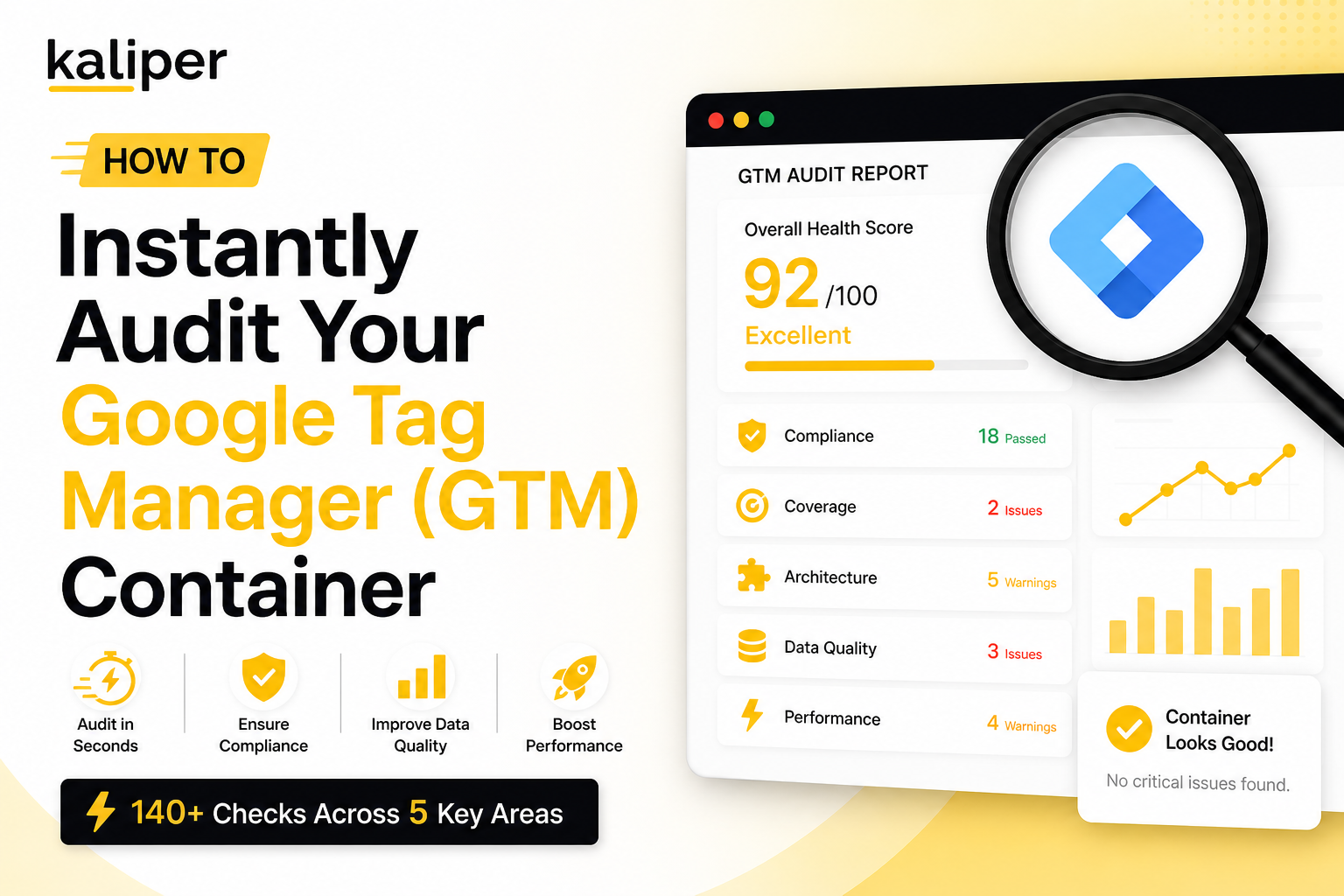
Your Google Tag Manager container is quietly misfiring. A purchase event isn’t firing on checkout. A Meta pixel is loading twice. Your consent banner is live, but Consent Mode v2 isn’t wired up, meaning every analytics hit is a potential GDPR liability. Most teams don’t find out until revenue is missing from reports, or worse, a compliance audit lands in their inbox. The fix? A proper Google Tag Manager audit, one that goes beyond “does the tag fire?” and actually checks whether your entire container is architected correctly.
This guide walks you through what a GTM audit covers, why most manual audits miss critical issues, and how you can run a comprehensive audit on your container in seconds, with zero setup and no API key required.
What Is a Google Tag Manager Audit?
A Google Tag Manager audit is a systematic review of your GTM container to identify tracking gaps, configuration errors, compliance risks, and performance issues. It evaluates:
- Tag configuration – Are all tags set up correctly? Are conversion events firing on the right pages and conditions?
- Trigger logic – Are triggers too broad, too narrow, or conflicting with each other?
- Variable health – Are your variables returning the expected values? Are data layer variables missing or inconsistently named?
- Compliance posture – Is Consent Mode v2 implemented? Are you handling GDPR/CCPA opt-outs properly?
- Data quality – Are required parameters like currency, value, or item_id consistently present in ecommerce events?
- Performance impact, Are redundant tags slowing down your pages? Are scripts loading synchronously when they shouldn’t be?
A thorough GTM audit isn’t a 10-minute task. Done manually, it can take a senior analytics engineer several hours, and even then, human review is prone to blind spots.
Why Your GTM Container Probably Has Issues Right Now
GTM containers accumulate debt fast. Over time, they become a patchwork of tags from different campaigns, different team members, and different tool migrations, often without any cleanup in between.
Here are the most common issues we see when auditing GTM containers:
1. Missing or Broken Conversion Tags
Your GA4 purchase event may be firing, but is begin_checkout? Is add_to_cart wired up? Are your Google Ads conversion actions tagged for every relevant event, or just the obvious ones?
Missing conversion events means your bidding algorithms are flying blind, and your attribution is systematically wrong.
2. Consent Mode v2 Not Properly Implemented
Since Google’s enforcement of Consent Mode v2, containers without proper consent signaling are at risk, not just for compliance, but for modeling accuracy. If your consent banner fires independently of your GTM tags, you may be collecting data on users who’ve opted out, or worse, withholding signals from users who’ve consented.
3. Duplicate or Redundant Tags
It’s common to find the same pixel firing twice, once from a legacy implementation and once from a newer GTM tag. Duplicate events inflate your conversion counts, pollute your attribution model, and add unnecessary page weight.
4. Inconsistent Data Layer Schema
If ecommerce.items[0].item_id is populated on product pages but ecommerce.items[0].id is used on the cart page, your GA4 item reports will be broken, and you won’t know why until you dig into raw event parameters.
5. Over-Broad Triggers
“All Pages” triggers are the GTM equivalent of a catch-all regex. They’re convenient in development and catastrophic in production. A tag that fires on every page load when it should only fire on /order-confirmation/ is a data quality disaster waiting to happen.
6. Missing Meta CAPI Configuration
With iOS 14+ signal loss and increasing browser restrictions, server-side conversion signals via Meta’s Conversions API are no longer optional. Many containers have the browser-side Meta pixel but no CAPI configuration, meaning your Meta campaigns are running on degraded signals.
The Traditional Way to Audit Google Tag Manager (And Why It Falls Short)
The standard approach to a GTM audit looks something like this:
- Open GTM and export your container JSON
- Review tags one by one in the GTM interface
- Use GTM Preview Mode to check firing behaviour on key pages
- Use GA4 DebugView to validate event parameters
- Check your consent setup manually
- Cross-reference your tag list against your measurement plan
This works. But it’s slow, incomplete, and scales poorly. A container with 50+ tags, 40 triggers, and 30 variables easily takes 4–6 hours to audit properly. You’ll still miss things, particularly structural issues like naming inconsistencies, trigger redundancies, or cross-tag firing sequences.
The better approach is to automate the structural review and use your time only on the decisions that require human judgment.
The Fastest Way to Audit Your GTM Container Today
GTM Auditor by Kaliper is a free AI-powered GTM audit tool that analyzes your container across 140+ parameters in seconds, with no API key, no account connection, and no setup required.
Here’s how it works:
Step 1: Export Your GTM Container JSON
In Google Tag Manager, go to Admin → Export Container. Select your workspace and export the JSON file. This is a complete snapshot of your container configuration.
Step 2: Upload to GTM Auditor
Drop your container JSON into the GTM Auditor. You’ll answer a few quick questions about your business context, your industry, which ad platforms you’re running, and whether you have a consent management platform in place.
This context allows the AI agents to tailor their analysis to your specific setup rather than applying generic rules.
Step 3: AI Agents Analyze in Parallel
GTM Auditor deploys five specialized AI agents simultaneously, each an expert in a different dimension of tag management:
- Compliance Agent, Region-aware analysis for GDPR, CCPA, and Consent Mode v2. Catches privacy violations before they become fines.
- Coverage Agent, Detects missing conversion tags, broken event tracking, and gaps across ad platforms and analytics tools.
- Architecture Agent, Evaluates trigger logic, variable naming conventions, tag firing sequences, and overall container organisation.
- Data Quality Agent, Validates data layer structure, parameter consistency, and event schema integrity across all tags.
- Performance Agent, Identifies redundant tags, excessive firing, blocking scripts, and opportunities to reduce page load impact.
Within seconds, you get a scored report with an overall health score, critical issues, warnings, and quick wins, broken down by category.
Step 4: Fix and Export
For issues that can be automatically corrected, GTM Auditor generates a fixed container JSON that you can download and import directly into GTM. You review the changes, verify them in Preview Mode, and publish, no manual editing required.
When Should You Run a GTM Audit?
If you’ve never formally audited your GTM container, the answer is: right now. But there are also specific moments when a GTM audit is especially important:
- Before a major campaign launch – Ensure your conversion tracking is solid before spending significant media budget.
- After a site redesign or platform migration – New URL structures and updated data layers often break existing tags silently.
- After onboarding a new agency or contractor – Verify that tags added by a third party meet your standards and don’t conflict with existing setup.
- When GA4 reports show unexplained anomalies – Sudden drops in conversion rates, event counts, or session counts often trace back to GTM misconfigurations.
- Before a compliance review – Proactively audit your consent setup before GDPR or CCPA enforcement lands on your desk.
- Quarterly as standard practice – High-growth companies treat GTM audits the same way they treat code reviews: regular, systematic, and non-negotiable.
GTM Audit Checklist: What to Look For
Whether you’re auditing manually or using an automated GTM audit tool, here’s a quick reference checklist of the key areas to review:
Tags
- All expected conversion events are tagged (purchase, begin_checkout, add_to_cart, lead, sign_up)
- No duplicate tags firing for the same event
- Third-party pixels match your current vendor stack (remove legacy tags)
- Server-side tags configured for platforms that support it (Meta CAPI, Google Ads enhanced conversions)
Triggers
- No overly broad “All Pages” triggers for event-specific tags
- Click and form triggers are scoped to specific elements or pages
- Custom event triggers match the exact event names pushed to the data layer
Variables
- Data layer variables use consistent naming conventions
- All ecommerce parameters are present and correctly mapped
- User-defined variables are documented and not redundant
Compliance
- Consent Mode v2 is implemented and signals are correctly passed
- Tags that require consent are gated behind consent triggers
- CCPA opt-out mechanism is functional
Data Quality
- Required parameters (currency, value, transaction_id) are populated on all relevant events
- Event names follow GA4 naming conventions (snake_case, no spaces)
- Data layer is pushed before GTM tags fire
Performance
- No synchronous blocking scripts loaded via GTM
- Tag firing frequency is appropriate (once per page, not once per event)
- Total tag count is reasonable; retired tools have been removed
Why Manual GTM Debugging Tools Aren’t Enough
Tools like GTM Preview Mode, Google Tag Assistant, and GA4 DebugView are invaluable for real-time debugging. But they’re session-based, they show you what’s happening in a single browsing session, not whether your container is structurally sound.
They won’t tell you:
- Whether your naming conventions are consistent across 60 variables
- Whether your trigger logic is creating unintended cross-tag dependencies
- Whether your data layer schema is complete across all event types
- Whether your compliance setup holds up under GDPR scrutiny
That’s the gap a structured google tag manager checker fills. It evaluates the container as a whole system, not just individual tag fires in a single session.
Start Your Free GTM Audit Now
If your container has never been formally audited, or if it’s been more than a quarter since your last review, there’s a near-certain chance it has issues that are costing you data quality, compliance confidence, or campaign performance.
GTM Auditor by Kaliper gives you a complete, AI-powered audit in seconds. No API key. No account connection. No credit card. Just export your container JSON, upload it, and get a scored report with actionable fixes.
→ Start Your Free Audit at gtm.kaliper.io
Kaliper is a specialist analytics consultancy with 8+ years of experience and 100+ clients served. We help growth-focused businesses build tracking infrastructure that actually works, from GTM and GA4 implementation to data engineering, BI dashboards, and AI/ML transformation.
Need expert help beyond the audit? Talk to our team.
More field notes
All field notesWorking through this in your own stack?
We do this for a living. Bring one dashboard you don't trust and we'll tell you why the number is wrong.